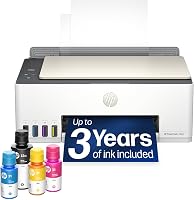
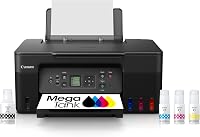
Ink Tank Printer vs Laser Printer for Home: Which Is Better? (October 2026)
The ink tank printer vs laser printer choice comes down to regular color printing or mostly black-and-white documents. Choose the Epson ET-2803 for mixed home printing, the Brother DCP-L2640DW for documents and scanning, or the Brother HL-L2460DW for printing alone.
On this page (11 sections)
- Ink tank printer vs laser printer: which is better at home?
- Which printer handles color, charts and photos?
- Which one is faster for everyday documents?
- Which printer makes more sense for supplies?
- Which features reduce scanning and paper work?
- Who should buy each printer, and who should skip it?
- How much space do these printers need?
- How should you set up an ink tank or laser printer?
- What care keeps ink and toner printers ready?
- Which buying mistakes should you avoid?
- Which printer should you choose for your home?
Choose an ink tank printer for regular color printing or a monochrome laser for mostly text and occasional use. The ink tank printer vs laser printer decision starts with what goes on your pages and how often you print.
The Epson EcoTank ET-2803 suits mixed home jobs, including color worksheets and occasional scans. The Brother DCP-L2640DW suits paperwork that needs scanning and copying, while the Brother HL-L2460DW fits a desk that only needs printing.
These are specific choices within 2 broad categories. Color laser printers also exist, but both Brother models compared here produce black-and-white output.

Ink tank printer vs laser printer: which is better at home?
An ink tank suits a regular color-printing routine, while a monochrome laser suits a household built around text documents. Neither category wins simply because you print more pages.
An ink tank printer is an inkjet with refillable reservoirs instead of small replacement cartridges. A laser uses toner powder, which it bonds to paper with heat.
That difference affects both supplies and care. Inkjet nozzles need attention if ink dries or flow becomes uneven, while laser printers avoid liquid-ink nozzle clogs.
Start by looking at your last few print jobs. School worksheets with colored diagrams point toward an ink tank; forms, shipping documents and reading packets point toward a monochrome laser.
Our guide to ink tank printers for home explains the wider category. If your main concern is whether you'll use enough ink, read whether ink tank printers are worth it.
Ink tank vs laser printer for occasional use
A monochrome laser is usually the easier fit for long idle periods when you only need black-and-white output. Toner doesn't dry in printhead nozzles between jobs.
That doesn't make a laser maintenance-free. Paper can absorb moisture, dust can build up, and toner and drum parts still need replacement as they wear or run out.
An ink tank makes more sense if color is useful often enough to justify keeping it in regular use. Read whether EcoTank ink dries out with rare printing before choosing one for a home that may go weeks without printing.
Which printer handles color, charts and photos?
Choose the Epson ET-2803 when color carries meaning in your work. The Brother models can print a color document in grayscale, but they can't preserve its colors.
This matters for charts with several colored lines, classroom activities and instructions that identify parts by color. A black-and-white copy may lose distinctions even when all the text remains readable.
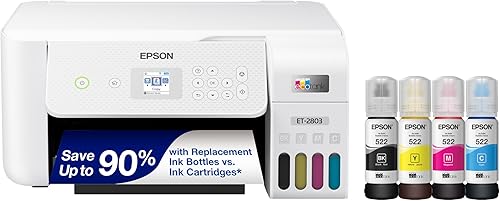
The Epson uses black, cyan, magenta and yellow ink. That gives you color output for everyday home jobs, but color capability alone doesn't guarantee photo quality.
For photos, match the paper type and size to the printer's supported media, then select the right paper setting. Keep expectations tied to your goal: a picture for a school project is a different job from a framed photo.
If you choose a monochrome laser, check print preview before sending color-heavy files. Labels, patterns and strong contrast can make charts easier to read in gray, but some documents simply need color.
Which one is faster for everyday documents?
The Brother lasers are better suited to long text batches. Both have stated speeds of up to 36 pages per minute, compared with 10 black pages or 5 color pages per minute for the Epson.
Those figures describe output speed, not the full time from tapping Print to collecting your pages. File processing, connection delays and printer readiness also affect short jobs.
For a single permission slip, the speed gap may have little effect on your day. For a long reading packet before school or a stack of reports before a meeting, it becomes more useful.
Don't choose the faster printer if its output can't do the job. A quickly printed grayscale chart is a poor substitute when the reader needs to distinguish colors.
Also check your print settings before blaming the printer for a slow job. Higher quality settings and complex images can take longer than plain text in a standard document mode.
Which printer makes more sense for supplies?
Compare the cost of the supplies you'll actually use, rather than assuming bottles always beat toner. Your mix of black and color pages changes the result.
Epson rates the ET-2803's replacement ink set for up to 4,500 black pages and 7,500 color pages. Epson also describes the included supply as up to 2 years of ink, based on about 125 pages per month.
Those are usage-based estimates, not a fixed calendar allowance. Full-page graphics use ink differently from lightly covered text, and maintenance can consume ink too.
Both Brother models use TN830 or TN830XL replacement toner. Compare the stated yield and replacement cost of the exact cartridge you plan to use, rather than comparing cartridge sizes by name alone.
For a basic estimate, divide a replacement supply's cost by its stated page yield. Keep black and color calculations separate, and don't add the Epson's 2 yield figures together as a guaranteed total.
Include other likely consumables, such as a laser drum, when planning longer-term costs. Our ink tank printer vs inkjet comparison explains why supply format alone doesn't settle running costs.
Which features reduce scanning and paper work?
Choose the DCP-L2640DW for repeated multi-page scanning, the Epson for occasional flatbed jobs, or the HL-L2460DW if you don't need a scanner. The amount of paper you handle matters as much as print speed.
The Brother all-in-one has a 50-page auto document feeder for loose-page scans and copies. This is useful for signed forms, household records and other stacks you'd otherwise place on the glass one sheet at a time.
The Epson's flatbed suits individual pages and items that should stay flat. Before putting any item on scanner glass, check that its size and weight are suitable and don't force the lid closed.
Both Brother printers support automatic duplex printing. The Epson uses simplex printing, so two-sided work requires you to turn and reload the paper yourself.
Duplex printing and duplex scanning are separate features. Don't assume an automatic document feeder reads both sides just because the printer can print on both sides.
Our guide to duplex printing and automatic document feeders helps you decide which feature will save more work in your routine.
Who should buy each printer, and who should skip it?
Choose the Epson for regular mixed-color jobs, the Brother all-in-one for paperwork, or the print-only Brother for text output alone. Use these buyer patterns to narrow the choice before comparing smaller features.
Epson ET-2803: households with regular color jobs
The ET-2803 fits families that print worksheets, colored instructions and everyday documents throughout the month. Scanning and copying are included, so an occasional form doesn't require a separate scanner.
Skip it if most of your work is long, two-sided text documents or stacks of pages to scan. Its color capability won't offset the extra paper handling if those are your main jobs.
Brother DCP-L2640DW: home offices with loose-page records
The DCP-L2640DW fits people who turn paper records into digital files and still print plenty of text. Its feeder is the main reason to choose it over the print-only Brother.
Skip it if you need color output or rarely use scanning and copying. Buying extra functions makes little sense when they occupy desk space without solving a recurring task.
Brother HL-L2460DW: desks that only need documents
The HL-L2460DW fits readers, remote workers and households that print documents but already have another way to scan. Its manual feed slot also supports envelopes and specialty paper.
Skip it if you regularly copy signed forms or scan multi-page records. A phone may handle an occasional image, but repeated document capture can justify a proper scanner.
How much space do these printers need?
The HL-L2460DW has the smallest stated dimensions of these 3 models. Measure working space, not just the area the printer occupies while closed.
It measures 14.2 in deep, 14 in wide and 7.2 in high. The Epson measures 22.8 in deep, 14.8 in wide and 10 in high, while the Brother all-in-one measures 15.7 in deep, 16.1 in wide and 12.5 in high.
Leave room to load paper, collect finished sheets and reach connections. A shelf that fits the printer body may still block a scanner lid or make refilling awkward.
Both Brother models have a 250-sheet paper tray. That helps with recurring document jobs, but keep unused paper wrapped and dry rather than exposing a large stack to humid air.
Avoid placing any printer where spills, direct heat or a loose cable could interrupt use. A stable surface with easy access makes routine care less likely to be put off.
How should you set up an ink tank or laser printer?
Follow the model's setup order before sending the first document. Ink filling, toner preparation and initial setup aren't interchangeable steps.
For an ink tank, place the printer level and confirm each bottle matches its tank before opening it. Follow the fill procedure, avoid forcing a bottle into place, and let the initial ink charging finish.
For a laser, remove transport materials and prepare the toner and drum parts as instructed. Keep exposed drum surfaces away from fingers and unnecessary bright light.
Choose your connection next. The Epson supports AirPrint and Epson Smart Panel, while both Brother models offer wireless, Ethernet and USB connections.
Ethernet can suit a shared printer near a router; USB can suit one nearby computer. For wireless setup, follow the model's network instructions and confirm your phone or computer can reach the printer.
Finally, print a short document and check paper size, orientation and margins. Set your usual defaults now so each later job doesn't require the same changes.
What care keeps ink and toner printers ready?
Use the printer's built-in maintenance tools and correct supplies. Regular inkjet use and sensible paper storage prevent different problems, so one care routine won't suit both types.
For an ink tank, include color in normal printing so all ink channels get used. If output develops gaps or missing colors, start with the printer's nozzle check rather than repeatedly running cleaning cycles.
Follow the recommended cleaning sequence and waiting periods. Repeated cleaning without checking the result can waste ink without resolving the cause.
Keep tank levels within the instructed range, and don't mix bottle types because their colors look alike. Use the model's shutdown procedure so it can finish its normal parking process.
For a laser, load dry, suitable paper and adjust the guides without bending the stack. Replace supplies when needed and follow the manual's cleaning steps rather than applying household cleaners inside.
Use only media approved for the printer technology. Inkjet-only coated paper and unsuitable labels should not go through a laser's heated paper path.
Which buying mistakes should you avoid?
Avoid buying around one appealing number, such as page yield or maximum speed. A useful printer must match the whole job, including output, scanning and paper handling.
- Buying color “just in case.” Decide how often you truly need it, especially if the printer will sit unused.
- Treating included ink as guaranteed years of use. Page coverage and printing volume matter more than the calendar.
- Confusing an ADF with two-sided scanning. Check scan functions separately from print functions.
- Forgetting manual duplex work. Refeeding long documents takes attention, and a loading mistake can spoil a batch.
- Ignoring supply compatibility. Match ink bottles, toner and replacement parts to the exact model.
- Buying a scanner you'll never use. A print-only model may fit your desk and routine better.
Before buying, write down your usual page type, longest recurring job and scanning needs. Those 3 details will often narrow the choice more quickly than a long feature list.
Which printer should you choose for your home?
For the ink tank printer vs laser printer decision, choose around the work you'll repeat next month. Pick the Epson for useful color, the DCP-L2640DW for printing and digitizing paperwork, or the HL-L2460DW for documents alone.
If long idle periods are normal and your output is black and white, favor a monochrome laser. If color is a regular need, choose the ink tank and plan for routine use and care.
Before ordering, confirm that your chosen model fits its working space and that you can get the correct replacement supplies. Those checks help prevent a suitable printer from becoming awkward to live with.
If the Epson's role fits but you want other choices, browse our best ink tank printers guide.
Manufacturer references: Epson EcoTank ET-2803, Brother DCP-L2640DW Laser, Brother HL-L2460DW Laser.
Frequently asked questions
Is an ink tank printer better than a laser printer for home use?
An ink tank printer suits regular color printing, while a monochrome laser suits text documents and long gaps between jobs. Choose around your actual routine: color worksheets favor the Epson, stacks of paperwork favor the Brother all-in-one, and printing alone favors the smaller Brother.
Which printer is faster for documents?
Both Brother models have higher stated document speeds than the Epson, making them better choices for long reports and batches of text. Maximum speed matters less for a single form, where waking the printer, processing the file and preparing the first page also affect your wait.
Can a monochrome laser printer print color?
No, a monochrome laser prints in black and white, even when the original file contains color; colored charts become shades of gray, which can make similar colors hard to tell apart. Choose a color printer if the meaning of your worksheets, graphs or pictures depends on color.
Does the Brother DCP-L2640DW scan multiple pages?
Yes, its 50-page auto document feeder handles stacks of loose pages for scanning and copying, saving you from placing each sheet on the glass by hand. Automatic two-sided printing is a separate feature, so don't assume a printer scans both sides automatically because it supports duplex printing.
Are ink tank printers cheaper to run than laser printers?
There isn't a universal cost winner: compare replacement supplies, their stated yields and your mix of color and black pages, and include likely upkeep and paper use in your budget. Large ink yields help most when you actually print enough to use that supply over time.