What Is Brother INKvestment Tank?
Brother INKvestment Tank, in the 580, 780, and 980 models covered here, is a refillable ink tank system for all-in-one inkjet printers. Choose among them based on your scanning needs, paper handling, and network connections.
On this page (7 sections)
- What is Brother INKvestment Tank technology?
- How does Brother INKvestment Tank compare with a cartridge printer?
- Which Brother INKvestment Tank model fits your work?
- What should you check before buying a Brother INKvestment Tank printer?
- How should you set up and care for these printers?
- What mistakes should you avoid with Brother INKvestment Tank?
- Is Brother INKvestment Tank the right choice for you?
Brother INKvestment Tank, in the 580, 780, and 980 models covered here, is a bottle-refill ink system in an all-in-one inkjet printer. These printers handle printing, copying, and scanning, with different features for home and office work.
If you're asking what is Brother INKvestment because you want fewer ink changes, start with your workload. The right choice depends as much on scanning and paper handling as on the ink supply.
What is Brother INKvestment Tank technology?
These 3 Brother INKvestment Tank printers store ink in refillable tanks that you replenish with Brother Genuine BTD180 bottles. This guide covers these specific models, so check the exact model number when comparing other printers with similar names.
Brother describes its bottles as keyed and no-spill, with a design that prevents inserting the wrong bottle into a color slot. The brand gives refill times of about 30 seconds for color and 65 seconds for black.
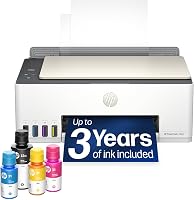
The included ink carries an up-to-3-year estimate, based on a set monthly workload. It isn't a fixed replacement schedule, and printing more pages or more ink-heavy documents can bring refills forward.
Brother also provides a 3-year limited warranty for these models. Keep your proof of purchase and review the warranty terms rather than assuming ink, routine care, and every repair are covered.
How does Brother INKvestment Tank compare with a cartridge printer?
The main difference is how you replenish ink: these models take bottles, while a cartridge printer takes replacement cartridges. Both are inkjet printers, so a tank system doesn't remove the need for print-head care.
A refillable printer makes sense for regular schoolwork, office documents, and color handouts. For occasional printing with long gaps between jobs, think about maintenance as well as the ink supplied in the box.
Don't assume a large ink supply guarantees lower total spending for every household. Compare the printer, compatible refills, expected workload, and features you'll actually use.
Our guide to ink tank printers for home explains the category, while how ink tank printers compare with inkjet printers covers the refill choice.
If you're comparing refillable tank brands, Epson EcoTank versus HP Smart Tank gives you another set of options.
Which Brother INKvestment Tank model fits your work?
Choose the 580 for simple home tasks, 780 for document scanning, or 980 for office workflow. The extra features matter when they remove a step you repeat often.
Is the Brother INKvestment Tank 580 right for a home printer?
The 580 suits households that print documents and scan individual pages. Its flatbed works for an occasional form, receipt, or book page without adding a document-feeding feature you may rarely need.
It has a 150-sheet paper tray, a 1-sheet manual feed slot, and a one-line LCD. Brother gives speeds of up to 16 pages per minute in black and 9 in color.
Brother Mobile Connect supports mobile printing, copying, scanning, and device management. Check compatibility with your phone and operating system before making the app central to your workflow.
Skip the 580 if you scan page stacks regularly or need a wired network connection. Placing pages on a flatbed one at a time adds work that matters more than a small speed difference.
What extra features does the Brother INKvestment Tank 780 add?
The 780 suits a home office that scans multipage documents and works with cloud files. Its 20-page single-sided automatic document feeder lets you feed a stack instead of placing each loose page on the glass.
Its 1.8-inch color display provides access to cloud services including Google Drive, Dropbox, Box, and OneDrive. Those connections require internet access and an account with the service.
The 780 includes a 150-sheet paper tray and a 1-sheet manual feed slot. Its stated maximum speeds are 16 pages per minute in black and 15.5 in color.
Skip it if most jobs are a few printed pages, since its scanning features may sit unused. It also isn't the choice here for Ethernet or automatic scanning of both sides.
For a setup walkthrough for a different refillable range, see how to set up an HP Smart Tank printer. Use Brother's instructions for the actual fill and startup steps on this model.
Who should consider the Brother INKvestment Tank 980?
The 980 fits a small office that needs fax, Ethernet, or a separate paper feed. Its 80-sheet multipurpose tray sits alongside the main 150-sheet tray, giving you more flexibility when jobs use different paper.
It also includes a front USB port for print-from and scan-to tasks, a 1.8-inch color display, and cloud app access. Check supported file and media requirements before relying on USB for a specific workflow.
Brother gives speeds of up to 17 pages per minute in black and 16.5 in color. Its 20-page single-sided ADF helps with loose document stacks, but double-sided originals still need extra handling.
Skip the 980 if you don't need its office features. Compare the HP Smart Tank 5003 review if your needs are closer to general home printing.
What should you check before buying a Brother INKvestment Tank printer?
Start with document handling and connections, then judge the ink estimate against your monthly page count. A printer that saves ink refills can still slow you down if it lacks the scan workflow you need.
All 3 have automatic two-sided printing, wireless networking, and USB connections. Automatic duplex printing turns printed sheets; it does not mean the scanner reads both sides of an original.
For double-sided scan jobs, decide whether manually turning pages is acceptable. Our guide to duplex printing and automatic document feeders explains why these are separate features.
Brother's included-ink estimates use these monthly workloads:
- 580: 125 pages.
- 780: 150 pages.
- 980: 200 pages.
Each assumes 60% black pages and 40% color pages. Full-page graphics and other heavy-coverage jobs can use ink differently from lighter text documents, so don't use the year count alone to choose.
Measure the space with room for opening the scanner, loading paper, and reaching the tanks. Also check the paper sizes and types you use rather than assuming an extra tray accepts every kind of media.
If the Brother features exceed your needs, revisit the HP Smart Tank 5003 review before deciding.
How should you set up and care for these printers?
Follow the exact model's startup instructions, especially for filling and the first ink charge. Allow that process to finish before sending a large batch of documents.
Place the printer on a firm, level surface before adding ink. Match each bottle to its tank, follow the fill limits, and don't force a keyed bottle that won't fit.
Choose the connection that matches your work. USB suits a nearby computer, wireless supports shared access, and the 980's Ethernet option suits an office with a wired network.
During wireless setup, keep the phone or computer on the network you want the printer to use. Then print a small document, scan a page, and check two-sided output before relying on it for a deadline.
Use the correct paper setting and adjust the guides without bending the stack. Remove staples and damaged sheets before using an ADF, and use the flatbed for originals that shouldn't pass through rollers.
For inkjet care, avoid long idle stretches when practical and follow Brother's power-off guidance. If output develops gaps, use the printer's diagnostic and cleaning instructions instead of running repeated cleaning cycles without checking the result.
What mistakes should you avoid with Brother INKvestment Tank?
The main mistakes are choosing by ink years alone, confusing print duplex with scan duplex, and buying supplies by family name. Check each against the work you actually do.
Don't expect maximum page-per-minute figures on every job. Large files, detailed images, and print settings can change how long a document takes.
Keep loose documents separate from books and fragile originals when planning scans. An ADF helps with suitable page stacks, while a flatbed serves a different purpose.
Finally, don't treat cloud access and phone printing as the same feature. Decide whether you need files directly through the printer's controls or simply want to send a document from your phone.
Is Brother INKvestment Tank the right choice for you?
For readers deciding what Brother INKvestment is worth for their work, choose the simplest model that removes a recurring chore. Pick the 580 for everyday home documents, the 780 for page stacks and cloud access, or the 980 for wired office use and more flexible paper handling.
If automatic two-sided scanning is essential, keep looking rather than treating duplex printing as a substitute. For your next comparison, read Epson EcoTank versus HP Smart Tank and apply the same workflow checklist.
Frequently asked questions
What does Brother INKvestment Tank mean?
For the 580, 780, and 980 covered here, Brother INKvestment Tank means an all-in-one inkjet printer with refillable ink tanks; you replenish the tanks with compatible bottles. All 3 print, copy, and scan, but their document feeders, paper trays, and network connections suit different jobs.
How do you refill a Brother INKvestment Tank printer?
Use Brother Genuine BTD180 bottles and follow your model's refill instructions; match each bottle to its tank, keep the printer level, and avoid forcing the bottle into place. Brother describes the bottles as keyed and no-spill, with refill times of about 30 seconds for color and 65 seconds for black.
Does Brother INKvestment Tank use cartridges?
The 580, 780, and 980 covered here use bottled ink and refillable tanks for routine replenishment; buy supplies for your exact model rather than choosing by the INKvestment name alone. Brother recommends BTD180 bottles for these printers; this guide does not guarantee compatibility for other Brother models.
Which Brother INKvestment Tank model should I choose?
Choose the 580 for everyday home documents and occasional flatbed scans, the 780 for multipage scanning and cloud access, or the 980 for office connections and extra paper handling. If you need automatic scanning of both sides, the single-sided document feeders on the 780 and 980 won't meet that need.