10 Best Ink Tank Printers for Home Use (October 2026)
The best ink tank printers for home use include the Epson EcoTank ET-2803 for everyday family printing, the Canon MegaTank G3290 for double-sided schoolwork, and the Epson EcoTank ET-2980 for document-heavy households.
On this page (6 sections)
The Epson EcoTank ET-2803 is our best ink tank printer for home use for everyday single-sided documents, scans and copies. Choose the Canon MegaTank G3290 for automatic two-sided printing and a touchscreen, or the Epson EcoTank ET-2980 for faster black-document output.
Start with the work your household actually prints: short school forms, long reading packets, colorful projects or photos. A tank full of ink won't make up for missing paper-handling features you need every week.
If you're new to refillable printers, our complete guide to ink tank printers for home explains how the system works. You can also browse the broader ink tank printer shortlist and learn how to choose a home ink tank printer.
Our picks at a glance
-
1
-
2

-
3

Which ink tank printer is best for home use?
The ET-2803 leads for routine family use, while the G3290 is the better choice for recurring double-sided work. Move the ET-2980 ahead of both if longer black-text jobs dominate your week.
We compared print functions, ink yields, connections, controls and paper handling. The order reflects overall home use, so a lower-ranked model can still be the right choice for a specific need, such as Ethernet.
| Product | Best for | Functions | Ink yield | Duplex | Our score |
|---|---|---|---|---|---|
| Epson EcoTank ET-2803 | everyday family printing | Print, scan and copy | Up to 4,500 black and 7,500 color pages per replacement set | Simplex | 8.7 |
| Canon MegaTank G3290 | double-sided schoolwork | Print, copy and scan | Up to 6,000 black and 7,700 color pages per ink set | Automatic | 8.6 |
| Epson EcoTank ET-2980 | document-heavy households | Print, scan and copy | Automatic | 8.5 | |
| Epson EcoTank ET-2800 | simple home paperwork | Print, scan and copy | Up to 4,500 black and 7,500 color pages per set | Simplex | 8.4 |
| Canon PIXMA G6020 MegaTank | wired home offices | Print, copy and scan | Up to 6,000 black and 7,700 color pages per set | Automatic | 8.0 |
| Epson EcoTank ET-2903 | phone-first families | Print, scan and copy | 8.0 | ||
| Epson EcoTank ET-2900 | compact shared desks | Print, scan and copy | 7.6 | ||
| HP Smart Tank 5003 | refill-conscious beginners | Print, copy and scan | Manual, with driver support | 7.6 | |
| HP Smart Tank 6001 | HP app households | Print, copy and scan | Automatic | 7.2 | |
| HP Smart Tank Plus 570 | single-sided craft projects | Print, copy and scan | Simplex | 7.1 |
Best ink tank printers for home use
Choose the printer whose strengths match your most common job, then check the reason to skip it. These picks run from highest score to lowest, with each write-up focused on a different household need.
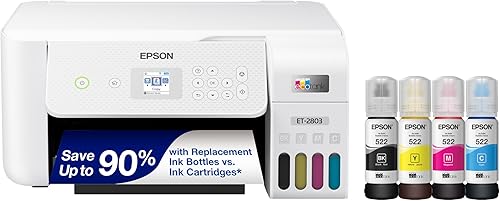
Epson EcoTank ET-2803
- Refillable ink tanks
- Flatbed scanner and copier
- Wi-Fi, AirPrint and Epson Smart Panel
- Up to 4,500 black and 7,500 color pages per replacement set
A fit for regular family documents, occasional color pages and single-page scans. AirPrint and Epson Smart Panel let household members send jobs from mobile devices.
Pros
- Flatbed scanner for forms and photos
- AirPrint and Epson Smart Panel support
- Refillable tanks for regular printing
Cons
- No automatic duplex printing
- Color print speed of 5 pages per minute
The Epson EcoTank ET-2803 fits families that print permission slips, homework and occasional color pages, then scan a signed form. AirPrint and Epson Smart Panel make it useful when jobs come from several household devices.
Its flatbed scanner suits individual sheets, photos and documents you want to position by hand. A color display gives you a way to manage copying and printer menus without reaching for a computer.
Epson rates replacement ink sets for up to 4,500 black and 7,500 color pages. Those are separate yield estimates, so don't add them together as a promise of mixed-page output.
Skip it if you regularly print double-sided reading packets: it won't turn the sheets automatically. For short, mainly single-sided jobs, its core functions cover the work without making document speed the main selling point.
For more background on the family, read our Epson EcoTank printer guide.
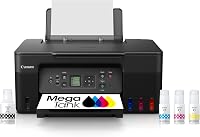
Canon MegaTank G3290
- Automatic two-sided printing
- Wireless print, copy and scan
- 2.7-inch color touchscreen
- Up to 6,000 black and 7,700 color pages per ink set
Choose this Canon for recurring double-sided documents and controls you can use at the printer. It also handles borderless photos up to 8.5 x 11 in.
Pros
- Automatic duplex printing
- 2.7-inch color touchscreen
- Document and photo paper support
Cons
- 100-sheet plain-paper capacity needs refilling during larger batches
- Color print speed of 6 pages per minute
The Canon MegaTank G3290 is the stronger fit for a home where school packets and work documents often need both sides. Automatic duplex removes the manual turn-and-reload step that becomes tiresome across repeated jobs.
Its 2.7-inch color touchscreen also suits people who prefer direct printer controls. That matters when someone wants a copy without opening an app or asking another family member to handle the settings.
This Canon covers occasional photo projects too, with borderless photos up to 8.5 x 11 in and support for photo paper and envelopes. Keep the correct paper loaded and select its type before switching between documents and photos.
Skip it if your main need is fast batches of color pages; its color speed is 6 pages per minute. The 100-sheet plain-paper capacity also means larger jobs can need a refill.
Our guide to duplex and ADF printer features explains which paper-handling functions save work.
Epson EcoTank ET-2980
- Up to 6,600 black and 5,500 color pages from included ink
- Automatic duplex printing
- Print and scan from Epson Smart Panel
- 100-sheet capacity
A strong fit for families that regularly print longer text documents. Automatic duplex and a black print speed of 15 pages per minute reduce manual work and waiting.
Pros
- Automatic duplex printing
- Black print speed of 15 pages per minute
- Phone printing and scanning through Epson Smart Panel
Cons
- 100-sheet capacity can require attention during long jobs
- Included black and color yields need separate planning
The Epson EcoTank ET-2980 suits document-heavy homes where several people print study notes, forms or work pages. Its 15-page-per-minute black speed is the highest black speed among these picks.
Automatic duplex helps with longer documents, and Epson Smart Panel supports phone printing and scanning. These features make more sense together when the printer handles regular batches rather than a few isolated pages.
The included ink supports up to 6,600 black and 5,500 color pages. Epson's claim of up to 3 years of ink describes an estimated supply period, not how long ink must last in every home.
Choose it for repeated text work rather than buying it solely for that years-of-ink claim. A household printing dense color pages will use ink differently from one printing lightly covered forms.
Skip it if unattended, large paper batches are your priority: its 100-sheet capacity still needs attention during long runs.
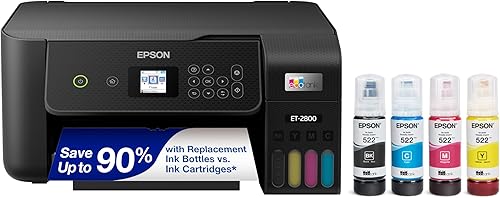
Epson EcoTank ET-2800
- Refillable ink tanks
- Flatbed scanner
- Wireless printing
- Up to 4,500 black and 7,500 color pages per ink set
This all-in-one covers forms, homework and occasional flatbed scans without adding automatic duplex. It suits households whose jobs are usually short and single-sided.
Pros
- Flatbed scanner for individual originals
- Wireless printing from household devices
- Refillable ink tanks
Cons
- No automatic duplex printing
- Color print speed of 5 pages per minute
The Epson EcoTank ET-2800 fits short home jobs that need printing, a flatbed scan or a quick copy. It makes sense for a household that values basic all-in-one functions over automatic paper turning.
Wireless access lets computers and mobile devices share the printer. Use the flatbed for a signed school form, a photo you want to save digitally or a page from a document that needs careful placement.
Its main limitation is the same one that matters on the ET-2803: single-sided printing. If you already find manual duplex annoying, moving to refillable tanks won't solve that part of your routine.
Color speed is 5 pages per minute, so allow time for project pages before a school deadline. Skip it for frequent long color jobs or recurring double-sided packets.
The ET-2800 vs ET-2803 comparison can help narrow the choice between these similar Epson options.
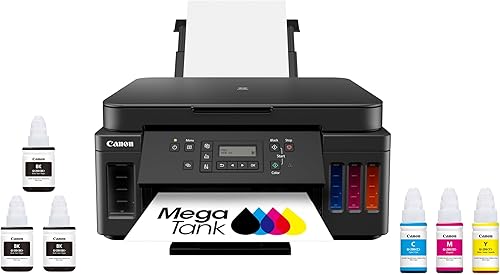
Canon PIXMA G6020 MegaTank
- Wireless and Ethernet connectivity
- Automatic two-sided printing
- Print, copy and scan
- Up to 6,000 black and 7,700 color pages per ink set
Ethernet makes this Canon useful beside a router or network connection. Automatic duplex supports routine office documents, while wireless and USB provide other connection choices.
Pros
- Ethernet for a wired network connection
- Automatic duplex printing
- Wireless and USB options
Cons
- Two-line LCD rather than a color touchscreen
- 17.8 lb weight makes frequent moves less convenient
The Canon PIXMA G6020 MegaTank is the pick for a home office with a convenient wired network connection. Ethernet connects the printer to your network by cable, while wireless and USB give you other setup choices.
A wired connection can be useful when the printer sits near the router and you want it to stay in one place. It won't repair a weak phone connection elsewhere in the house, so think about the whole network layout.
Automatic duplex suits reports and shared office documents. Its two-line LCD is a reason to prefer the G3290 if a larger touch interface matters more than Ethernet.
Skip the G6020 if you plan to move the printer between rooms often; it weighs 17.8 lb. It fits a settled home-office position better than a printer that comes out only when needed.
See our Canon MegaTank G3270 review for another Canon tank option.
Epson EcoTank ET-2903

- Apple AirPrint, Mopria and Epson Smart Panel
- 100-sheet paper tray
- Flatbed scanner
- Up to 3,600 black and 6,500 color pages from included ink
A useful choice when family members print from different phones and tablets. AirPrint, Mopria services and Epson Smart Panel give you several mobile routes.
Pros
- AirPrint and Mopria support
- Mobile printing and scanning
- Flatbed scanner
Cons
- Small 1.44-inch display
- Color print speed of 6 pages per minute
The Epson EcoTank ET-2903 suits phone-first households, especially those sharing different mobile platforms. It supports Apple AirPrint, Epson Smart Panel, Mopria Print Service and Mopria Scan.
That range gives family members several ways to send documents or save scans. Before choosing, decide who will use the printer and which built-in phone service or app each person prefers.
The 1.44-inch color screen is small, so this model makes more sense if you expect to use mobile controls often. Its flatbed scanner handles originals you place manually, while the 100-sheet tray covers routine document jobs.
Skip it if you want a large control screen for frequent use at the printer. If automatic duplex is essential, choose a model here that explicitly includes it rather than assuming all EcoTanks have the same paper features.
Our Epson EcoTank guide covers the refill system and related models.
Epson EcoTank ET-2900

- 14.2-inch body width
- 100-sheet paper tray
- Flatbed scanner
- Up to 3,600 black and 6,500 color pages from included ink
The black ET-2900 fits a shared desk where body size matters. Allow extra room around its 12.5 x 14.2 x 6.4 in body for paper handling and scanner access.
Pros
- Compact body dimensions
- Wi-Fi and USB connections
- Epson Smart Panel support
Cons
- Small 1.44-inch display
- Body measurements alone don't cover working clearance
The Epson EcoTank ET-2900 suits a shared desk where body size and placement matter. Its black body measures 12.5 in deep, 14.2 in wide and 6.4 in high.
Those measurements are a starting point, not the size of the whole working space. Leave room for paper handling, cables, tank access and lifting the scanner lid without hitting a shelf.
Wi-Fi, USB and Epson Smart Panel let you choose between computer and mobile use. The included ink yields and main productivity features match the ET-2903, so black versus white may help settle a choice between the pair.
Skip it if the only available spot is a tight cubby that blocks the lid or paper path. A smaller body doesn't help if everyday copying means pulling the printer out.
For regular two-sided documents, move your attention to a confirmed automatic-duplex model.
HP Smart Tank 5003
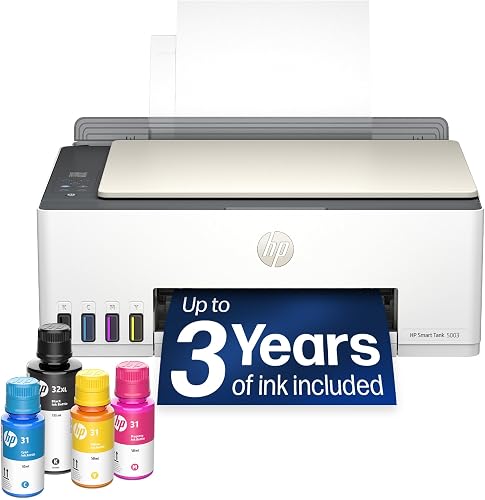
- Bottles drain without squeezing
- Print, copy and scan
- Wireless and mobile printing
- Up to 6,000 black or color pages from included ink
HP's bottle system suits buyers who want a straightforward refill process. Choose it for everyday documents and borderless prints if manual page turning is acceptable.
Pros
- Refill bottles drain without squeezing
- Borderless printing
- Wireless and mobile printing
Cons
- Manual duplex printing
- Color print speed of 5 pages per minute
The HP Smart Tank 5003 suits buyers who want a refill process without squeezing bottles. HP's system lets the bottles drain into the tanks, which gives a first-time tank user a clear refill method to follow.
It prints, copies and scans, with wireless and mobile printing for everyday documents. Borderless printing also makes it an option for occasional photo or project pages on compatible media.
HP gives an included yield of up to 6,000 black or color pages and claims up to 3 years of ink. Use the page estimate and your print habits when planning supplies rather than treating the calendar claim as a refill schedule.
Skip it for frequent double-sided packets because duplex is manual, with driver support. You still turn and reload the paper, so confirm that workflow on the computer you'll use.
Its color speed of 5 pages per minute also favors smaller jobs over deadline-driven batches.
HP Smart Tank 6001

- Automatic two-sided printing
- HP Smart app and AirPrint
- Print, copy and scan
- Up to 6,000 black or 8,000 color pages from included ink
The 6001 combines HP Smart app support with automatic duplex for shared family documents. AirPrint and borderless printing add flexibility for phone users and occasional photo jobs.
Pros
- Automatic duplex printing
- HP Smart app and AirPrint
- Borderless printing
Cons
- Color print speed of 7 pages per minute
- No color touchscreen specified for direct controls
The HP Smart Tank 6001 is the better HP choice here for families that need automatic duplex and HP Smart app support. AirPrint gives compatible Apple devices another route for sending jobs.
It also supports borderless prints, so the same printer can handle routine documents and occasional photo projects. Choose the right paper and print settings for each job rather than leaving everything on a document preset.
HP gives included yields of up to 6,000 black or 8,000 color pages. Its claim of 2 years of ink isn't evidence that it provides less useful ink than every model with a longer calendar claim.
Pick it when automatic page turning will save work each week. Skip it if your documents are almost always single-sided and you won't use that feature.
For the first fill, connection steps and initial setup, see our HP Smart Tank setup guide.
HP Smart Tank Plus 570

- Borderless printing
- Print, copy and scan
- Wireless printing
- Up to 6,000 black or 8,000 color pages from included ink
A fit for single-sided color pages and borderless projects on compatible paper. Its wireless connection also covers everyday family documents.
Pros
- Borderless printing
- Wireless printing
- 100-sheet capacity
Cons
- No automatic duplex printing
- Color print speed of 5 pages per minute
The HP Smart Tank Plus 570 fits single-sided color projects and everyday wireless documents. Borderless printing is useful for designs where a white edge would interrupt the page.
Its 100-sheet capacity covers routine batches, and the flatbed all-in-one functions let you copy or save individual originals. Keep craft materials within the printer's supported paper types rather than assuming any sheet that fits is suitable.
This is a simplex model, so skip it if double-sided documents form a large part of your printing. The Smart Tank 6001 is the clearer HP choice for that routine.
Color output is 5 pages per minute, which makes planning ahead useful for party materials or several project copies. Print one page first to check layout and color before sending the whole batch.
Its black finish may suit your desk, but paper handling should carry more weight than appearance.
How should you choose a home ink tank printer?
Choose by weekly workload, paper handling and device support, then compare ink supplies. A feature that saves effort on every job matters more than a large yield number you'll rarely use.
Is the best ink tank printer for home use an all-in-one?
An all-in-one is useful if you copy forms, save receipts or scan signed paperwork. Every model here includes printing, scanning and copying, so the next question is how you handle the originals.
A flatbed works well for a few pages, photos or bound material that fits safely on the glass. For frequent stacks of paperwork, check for an automatic document feeder rather than assuming an all-in-one includes one.
Also separate duplex printing from duplex scanning. Automatic two-sided output doesn't mean a printer can feed, scan or copy both sides of your originals automatically.
Match speed to the job that causes delays
Speed deserves more weight when several people print longer documents before school or work. For a single form, opening the file and choosing settings can matter more than the difference between page-speed figures.
Black and color speeds describe different workloads. Compare the figure that matches your usual pages, and expect photos or higher-quality settings to take longer than simple documents.
A paper tray's capacity also affects longer jobs. A printer can have enough ink for thousands of pages yet still need paper added during a busy afternoon.
Compare ink yields on the same basis
Read included ink and replacement-set yields as different measures. One helps you plan the first refill; the other helps you understand future supplies.
Black and color estimates aren't a combined page total. Dense graphics, photo coverage, cleaning and print settings can all change how far a fill goes.
Treat years-of-ink claims as estimates tied to usage assumptions. A family printing every school day and someone printing a few forms each month won't reach the refill point on the same schedule.
Check photos, paper and connections before choosing
For occasional family photos, start with supported photo sizes, borderless options and compatible paper. Resolution numbers alone won't tell you how a picture will look on the paper you use.
For mobile printing, check every household device that needs access. Someone printing from a phone may value a built-in print service, while a computer user may prefer the fuller driver controls.
Ethernet is useful near a network connection; USB suits a direct computer setup. Wi-Fi gives more freedom in placement, provided the printer gets a dependable signal where it will sit.
How do you set up an ink tank printer without wasting ink or paper?
Follow the model's setup order, complete the initial ink process and alignment, then check a small document before sending a large job. Rushing these steps can turn a simple setup issue into wasted pages.
Prepare the space and fill carefully
Place the printer on a level, stable surface with room to open covers and handle paper. Remove packing materials as directed, including any transport pieces inside accessible areas.
Match each bottle to the exact printer and tank color before opening it. Similar-looking bottles and a shared brand name don't guarantee compatibility.
Follow the guide for whether printheads, ink filling or other parts come first. Don't force a bottle, squeeze it unless directed or fill beyond the marked limit.
Let the initial ink charging finish without interrupting power. Use the supplied alignment process before judging text edges or color placement.
Connect the devices you'll actually use
Connect the printer and household devices as the setup instructions require. Guest networks or network separation can prevent devices from finding each other even when both have internet access.
Use the brand's official setup route and select the exact model. After installation, send a short document from each main device so everyone knows which printer to choose.
Check paper size, orientation and scaling in print preview. A file set for a different paper size can clip a signature line or shrink text unexpectedly.
For manual duplex, try a short job first and note how the paper must be reloaded. That avoids reversing an entire packet or printing its second side upside down.
What care does a home ink tank printer need?
Use the printer regularly, keep the paper path clean and follow its maintenance prompts. Refillable tanks reduce cartridge changes, but an inkjet still needs sensible care.
Avoid long idle periods
If the printer sits unused, follow its manual's advice for periodic use and storage. Printing a small color document regularly can help you notice a missing color before an urgent job.
Use the power button when shutting down so the printer can complete its normal shutdown process. Avoid cutting power while it is printing or performing maintenance.
For homes with long gaps between jobs, read whether EcoTank ink dries out with rare use before deciding how a tank printer fits your routine.
Diagnose missing lines before running repeated cleaning
Start with the printer's nozzle-check or print-quality diagnostic when text has gaps or a color disappears. That gives you a clearer next step than repeatedly sending the same full-page image.
Use the cleaning procedure only as directed. Repeated cleaning consumes ink, and a more intensive cycle isn't the right first response to every print defect.
Our Epson EcoTank print-head cleaning guide explains the sequence for Epson users. Follow your own model's instructions for pauses between cycles and further service steps.
Store paper and refill supplies properly
Keep paper dry, flat and within the printer's supported types. Adjust the guides to the stack without bending it, and avoid mixing damaged sheets into a fresh load.
Check tank levels before a long job and refill according to the marked limits. Keep bottle caps secure and store remaining ink as the bottle instructions direct.
For photos, match the paper setting to the media and let prints dry before stacking or handling the printed surface. Paper choice can improve results more than repeatedly raising the quality setting on plain paper.
Which home ink tank printer should you choose?
Choose the best ink tank printer for home use by the task you repeat most. Make the final decision with these rules:
- Mostly short, single-sided family jobs: choose the Epson EcoTank ET-2803.
- Regular double-sided schoolwork and direct controls: choose the Canon MegaTank G3290.
- Longer black-text batches: choose the Epson EcoTank ET-2980.
- A wired home-office network: choose the Canon PIXMA G6020 MegaTank.
- HP Smart app use with automatic duplex: choose the HP Smart Tank 6001.
Before ordering, check the working space, the phones or computers that need access and whether manual page turning is acceptable. Those checks prevent a poor fit that extra ink can't solve.
Browse our best ink tank printers roundup for a wider comparison. If you're still deciding whether refillable tanks match your printing habits, read are ink tank printers worth it.
Our top 3 picks at a glance
-
1
-
2
-
3
Frequently asked questions
What is the best ink tank printer for home use?
The Epson EcoTank ET-2803 is our top pick for everyday single-sided home printing, scanning and copying. Choose the Canon MegaTank G3290 for automatic duplex and a touchscreen, or the Epson EcoTank ET-2980 for faster black-document output; your usual jobs should decide which features deserve priority.
Are ink tank printers good for home use?
Ink tank printers suit homes that print regularly, especially those producing color homework, forms and project pages. Refillable tanks reduce cartridge changes, but they don't remove the need for care; if your printer will sit unused for long stretches, weigh that habit before choosing a tank model.
Do ink tank printers print photos?
Yes, several models here support photo printing, including borderless options. The Canon MegaTank G3290 supports borderless photos up to 8.5 x 11 in, while the HP Smart Tank 6001 also offers borderless prints; use compatible photo paper and the matching paper setting rather than judging photos on plain copy paper.
Do home ink tank printers print on both sides automatically?
Some do: the Canon MegaTank G3290, Epson EcoTank ET-2980, Canon PIXMA G6020 MegaTank and HP Smart Tank 6001 have automatic duplex. The HP Smart Tank 5003 uses manual duplex with driver support; automatic double-sided printing doesn't mean a printer can automatically scan both sides of an original.
How do I choose between Epson EcoTank, Canon MegaTank and HP Smart Tank?
Choose the model that matches your documents, devices and paper-handling needs rather than choosing by brand alone. Start with automatic duplex if you print long documents, then compare phone support and refill requirements; check the exact ink bottle code because bottles aren't interchangeable across every printer within a brand.